

Early this morning, my wife and I found an iPhone laying on the steps outside my apartment’s gym. Losing one’s phone has to be in the Top 5 Worst Feelings of any 21st century human. Nobody came to the gym to look for it by the time we wrapped up; I wasn’t going to leave it inside, in case the next person was related to the Grinch who stole Christmas.
The owner had locked the phone with a passcode, so I was unable to find who they are, or who they previously called or texted. I was at the mercy of the owner making contact. Or so I thought!
If the phone has Siri enabled, you can ask “Who’s Phone Is This?” That might help you get an address, or alternate contact number or email (depending on how much the owner has entered about themselves). Unfortunately, this phone’s Siri was only enabled when joined to a Wifi network, and I can’t join a network without being unlocked.
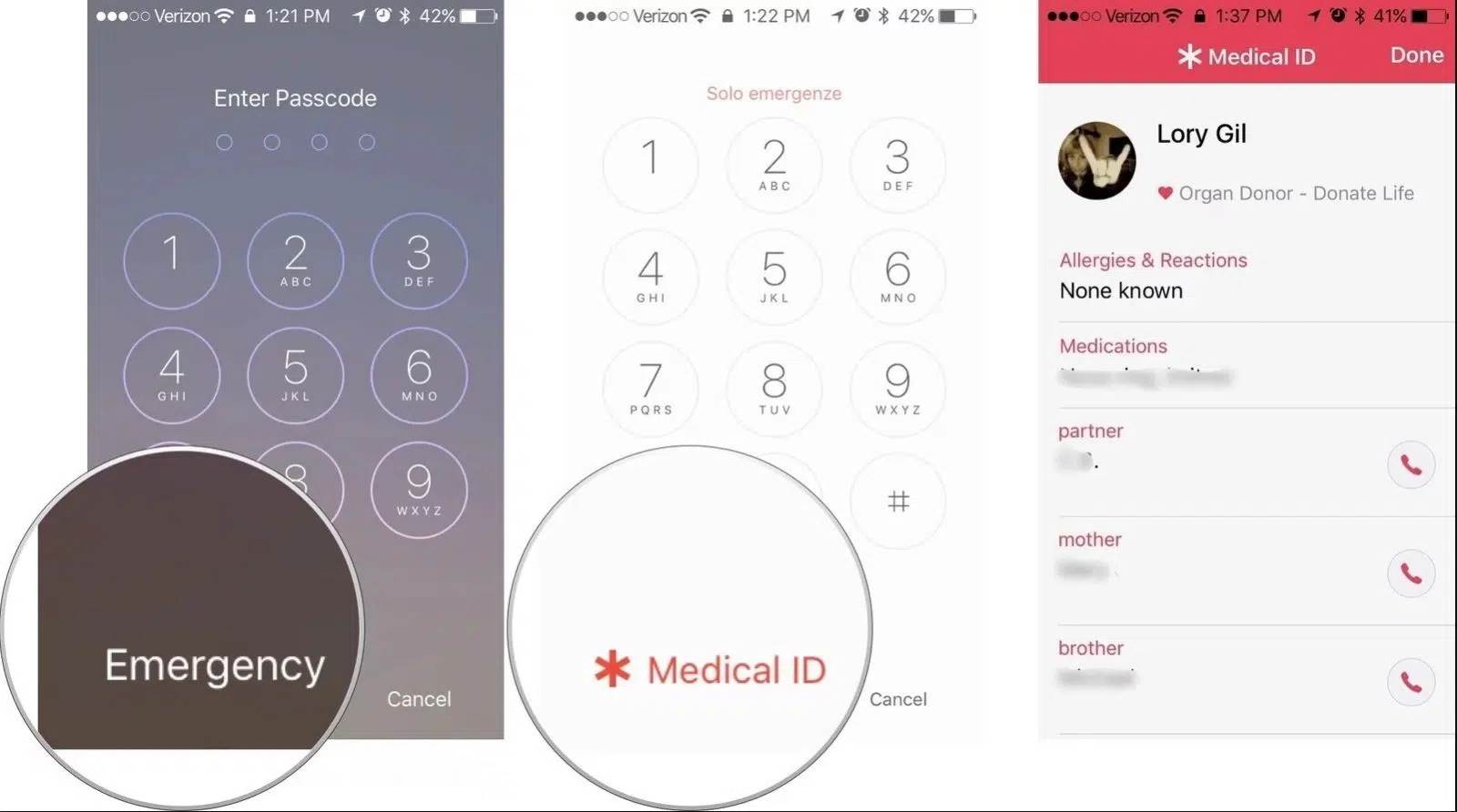
If you tap Emergency on the lower left of the locked screen, a new screen will show you * Medical ID. Tap on Medical ID, and if enabled, you’ll see the owner’s name and crucially, emergency contact numbers! In my case, I learned the spouse’s name and was able to call him to arrange to meet!
Immediately after this experience, I went into my own iPhone’s Settings, found the Health app, and update the Medical ID information to have my wife’s phone number. Though I have Find My Phone enabled, there’s nothing wrong with helping someone out who is trying to help me in case I drop my phone ever. I encourage you to do the same, and tell other’s about this handy way of discovering a lost phone’s identity!